Salesforce Hosted MCP Servers have been generally available since April 2026 (Enterprise Edition and above) and this guide is current to Summer ‘26. They let Claude query records, run flows, and invoke Apex against your org using natural language — no Lightning Experience login required. This guide connects all seven servers to both Claude Desktop and Claude Code using a single External Client App.
It is the same security model that governs every Salesforce API client — the agent operates with exactly the permissions the authenticated user has. Think of it as a new consumer for the existing integration patterns the platform already supports.
Step 1 — Activate the hosted servers
Standard servers are inactive by default. Navigate to Setup → MCP Servers → Salesforce Servers tab.
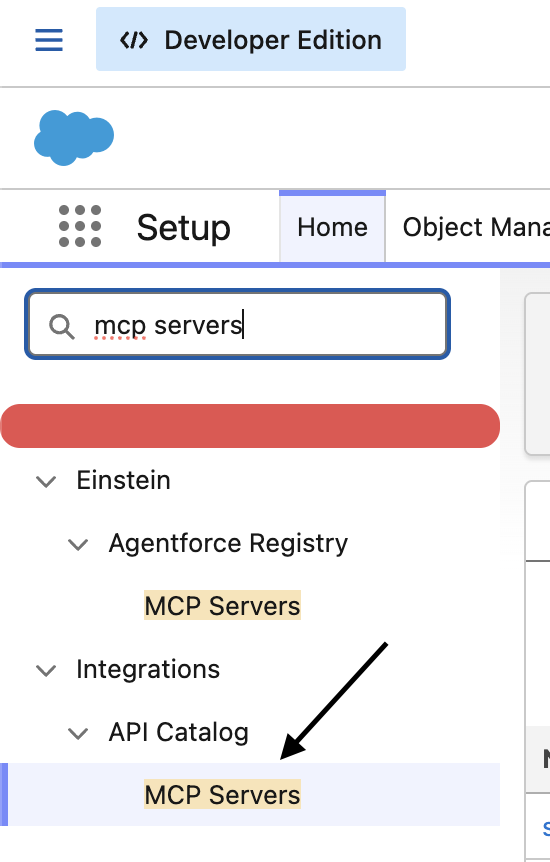
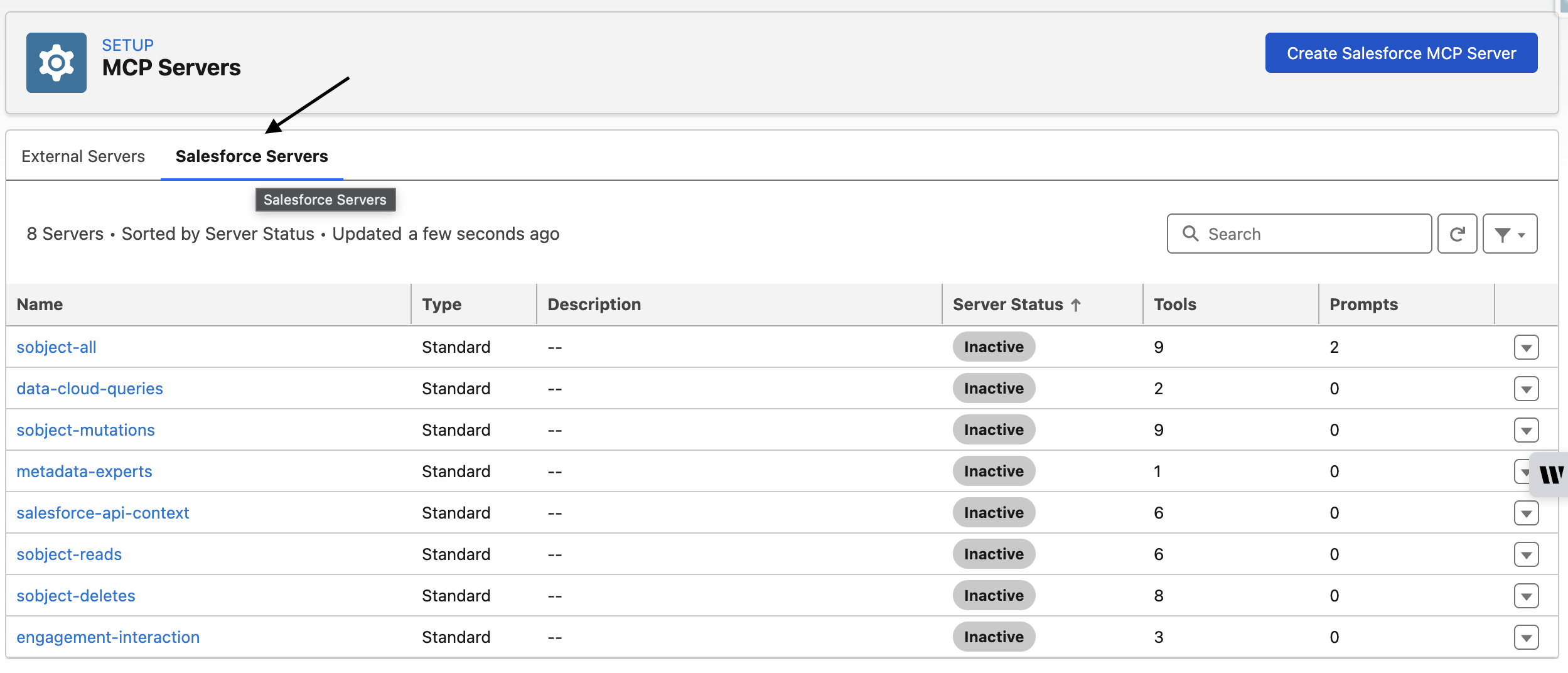
Click a server name — for example sobject-reads — and click Activate.

Repeat for each server you want to use. The full list of server URLs is in the table below.
Step 2 — Create the External Client App
One-time setup. The same ECA and Consumer Key works for all servers, production and sandbox.
Setup → Quick Find → External Client App Manager → New External Client App
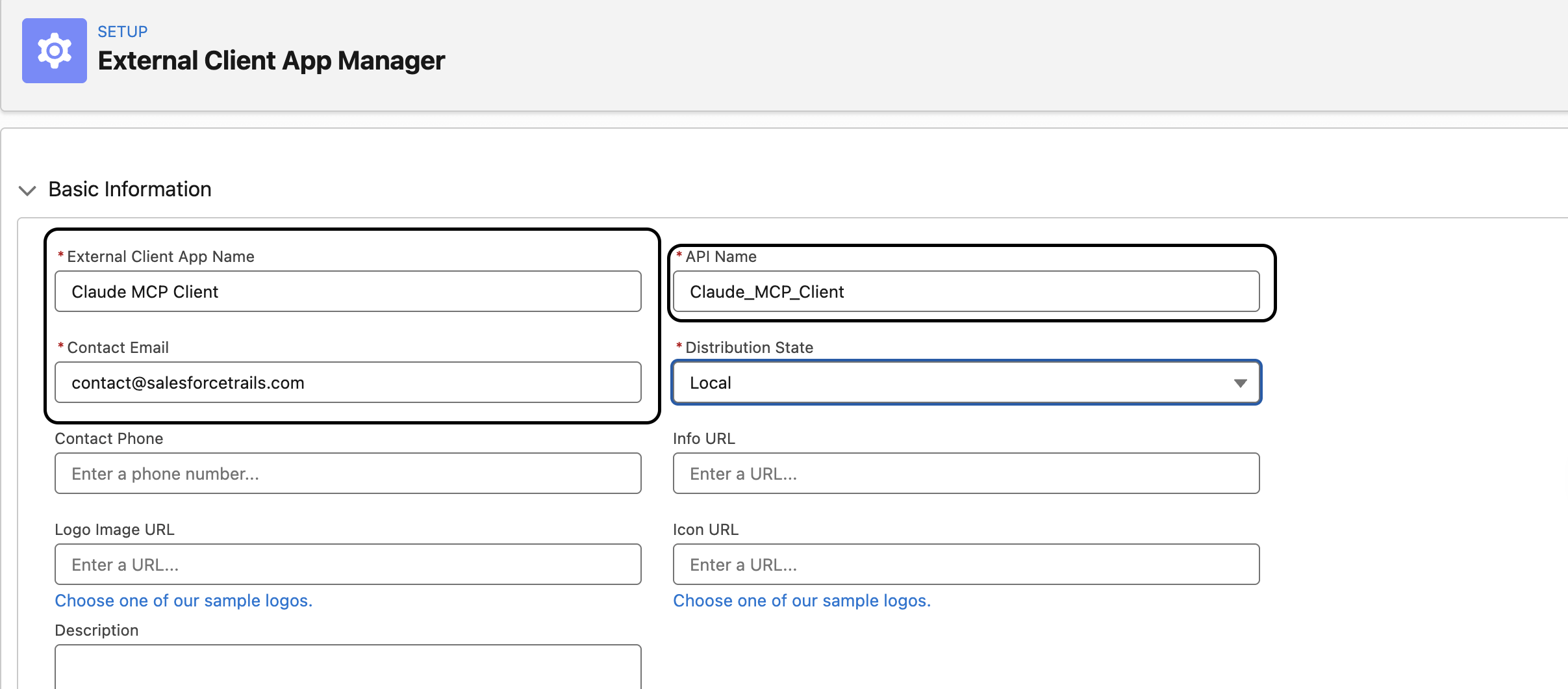
Basic Information
| Field | Value |
|---|---|
| Name | Claude MCP |
| Contact Email | Your email |
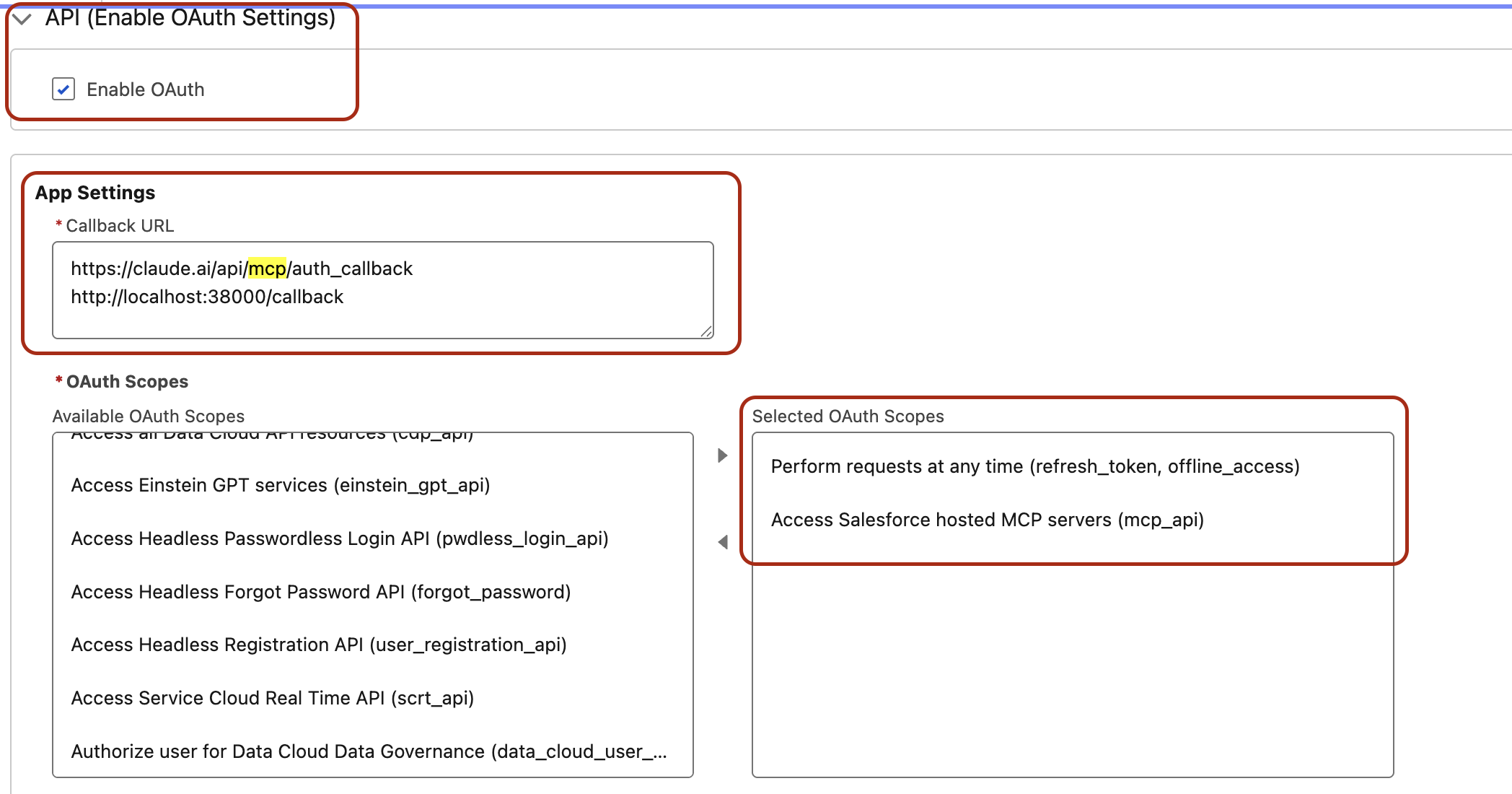
API (Enable OAuth Settings) — check Enable OAuth, then set the Callback URLs, one per line:
Claude Desktop: https://claude.ai/api/mcp/auth_callback
Claude Code: http://localhost:38000/callback
OAuth Scopes — move both to Selected:
- Access Salesforce hosted MCP servers (
mcp_api) - Perform requests at any time (
refresh_token, offline_access)
Flow Enablement — leave all unchecked.
Security — check only these two:
- Require Proof Key for Code Exchange (PKCE)
- Issue JSON Web Token (JWT)-based access tokens for named users
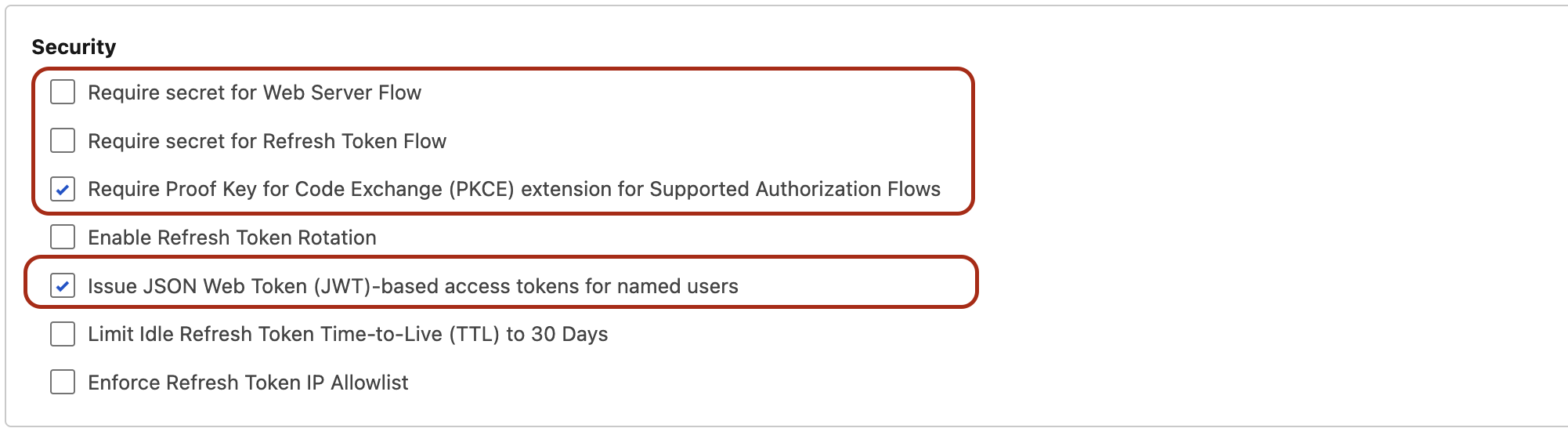
Click Create.
⏱️ Wait up to 30 minutes before authenticating. ECA propagation takes time — connecting too early causes
redirect_uri_mismatcherrors even with correct settings.
Once ready: Settings → OAuth Settings → Consumer Key and Secret → copy the Consumer Key. You do not need the Secret.
Available server URLs
| Server | Production URL |
|---|---|
sobject-reads | https://api.salesforce.com/platform/mcp/v1/platform/sobject-reads |
sobject-mutations | https://api.salesforce.com/platform/mcp/v1/platform/sobject-mutations |
sobject-deletes | https://api.salesforce.com/platform/mcp/v1/platform/sobject-deletes |
sobject-all | https://api.salesforce.com/platform/mcp/v1/platform/sobject-all |
salesforce-api-context | https://api.salesforce.com/platform/mcp/v1/platform/salesforce-api-context |
metadata-experts | https://api.salesforce.com/platform/mcp/v1/platform/metadata-experts |
data-cloud-queries | https://api.salesforce.com/platform/mcp/v1/data/data-cloud-queries |
For sandbox or scratch orgs, replace /v1/platform/ with /v1/sandbox/platform/ and /v1/data/ with /v1/sandbox/data/.
Step 3 — Connect Claude Code
Use the bulk-add script. Replace <YOUR_CONSUMER_KEY> with your key.
Production servers:
CK="<YOUR_CONSUMER_KEY>"
PORT=38000

claude mcp add --transport http salesforce-sobject-all https://api.salesforce.com/platform/mcp/v1/platform/sobject-all --callback-port 38000 --client-id "$CK" --client-secret

claude mcp add --transport http sobject-reads https://api.salesforce.com/platform/mcp/v1/platform/sobject-reads --callback-port 38000 --client-id "$CK"
You can add more servers as per your requirement.
Sandbox / Scratch org servers (add -sb suffix so they coexist with production):
CK="<YOUR_CONSUMER_KEY>"
PORT=38000

claude mcp add --transport http salesforce-sobject-all https://api.salesforce.com/platform/mcp/v1/sandbox/platform/sobject-all --callback-port 38000 --client-id "$CK" --client-secret

claude mcp add --transport http sobject-reads https://api.salesforce.com/platform/mcp/v1/sandbox/platform/sobject-reads --callback-port 38000 --client-id "$CK"
Flag reference:
| Flag | Purpose |
|---|---|
--transport http | Remote streamable HTTP MCP |
--scope user | Available in every project (stored in ~/.claude.json), If you don’t add scope, it defaults to local/project scope |
--client-id | Your ECA Consumer Key |
--callback-port 38000 | Must match the port in the ECA callback URL |
Run /mcp inside Claude Code, select each server, and choose Authenticate. The browser opens for Salesforce login and consent, then returns to localhost:38000/callback.

Verify with claude mcp list — all servers should show ✓ Connected.
Authentication failing with “site cannot be reached” on every attempt is almost always a dynamic callback port mismatch. See MCP OAuth Fails Due to Dynamic Callback Port for the fix.
Step 4 — Connect Claude Desktop
- Open Claude Desktop → Customize → Connectors → + to add a Custom Connector
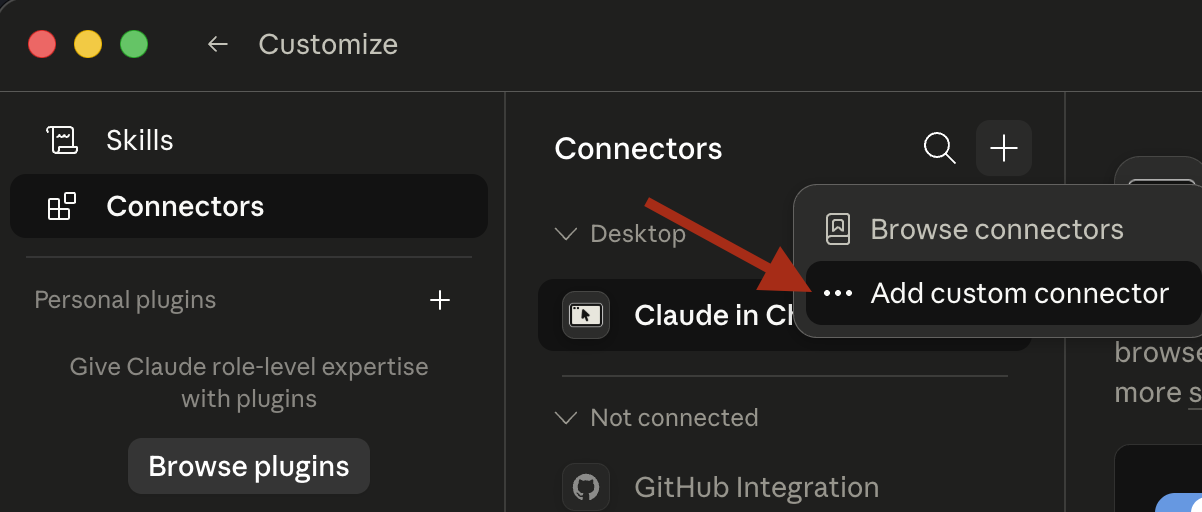
- Enter a name and the Server URL from the table above
- Under Advanced Settings, paste your Consumer Key as the OAuth Client ID, then click Add
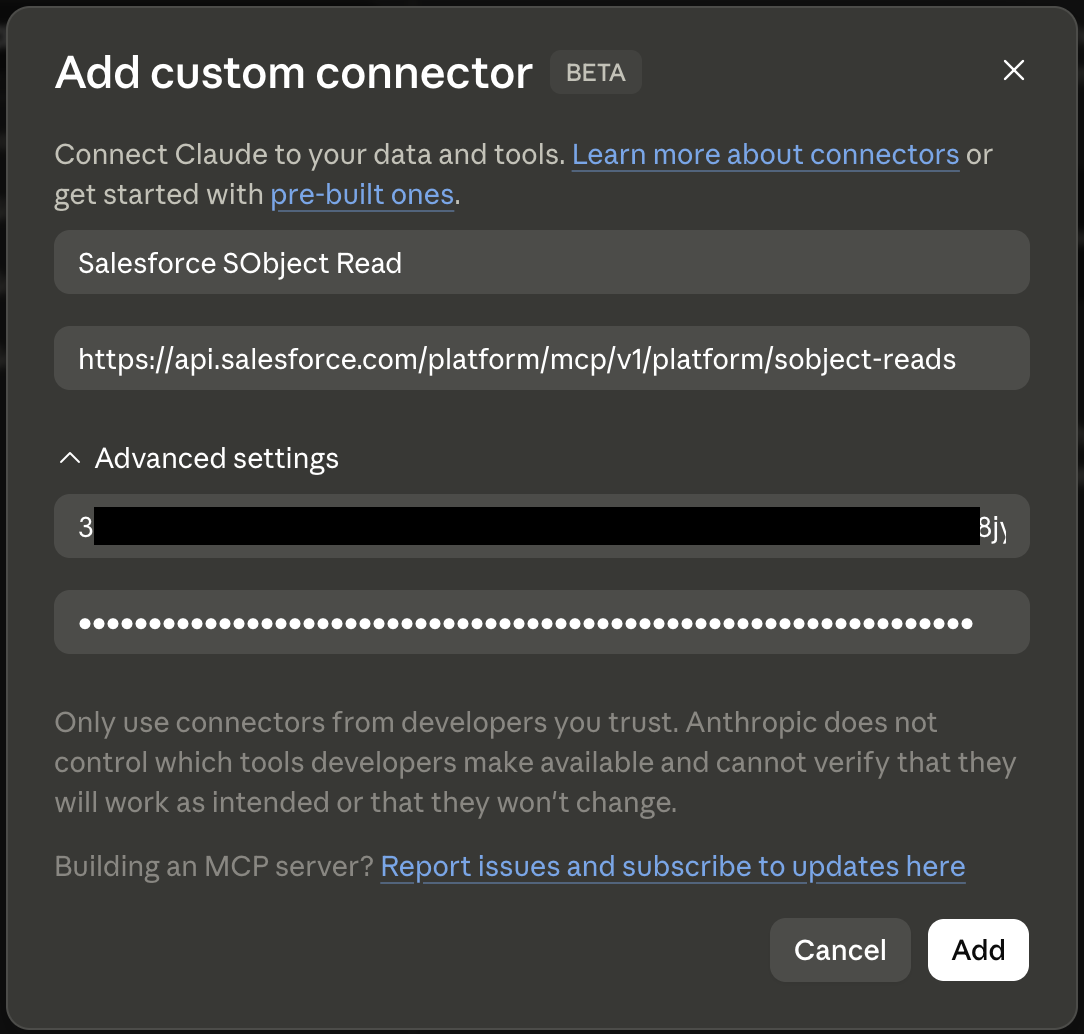
- Click Connect, log in to Salesforce, and approve consent
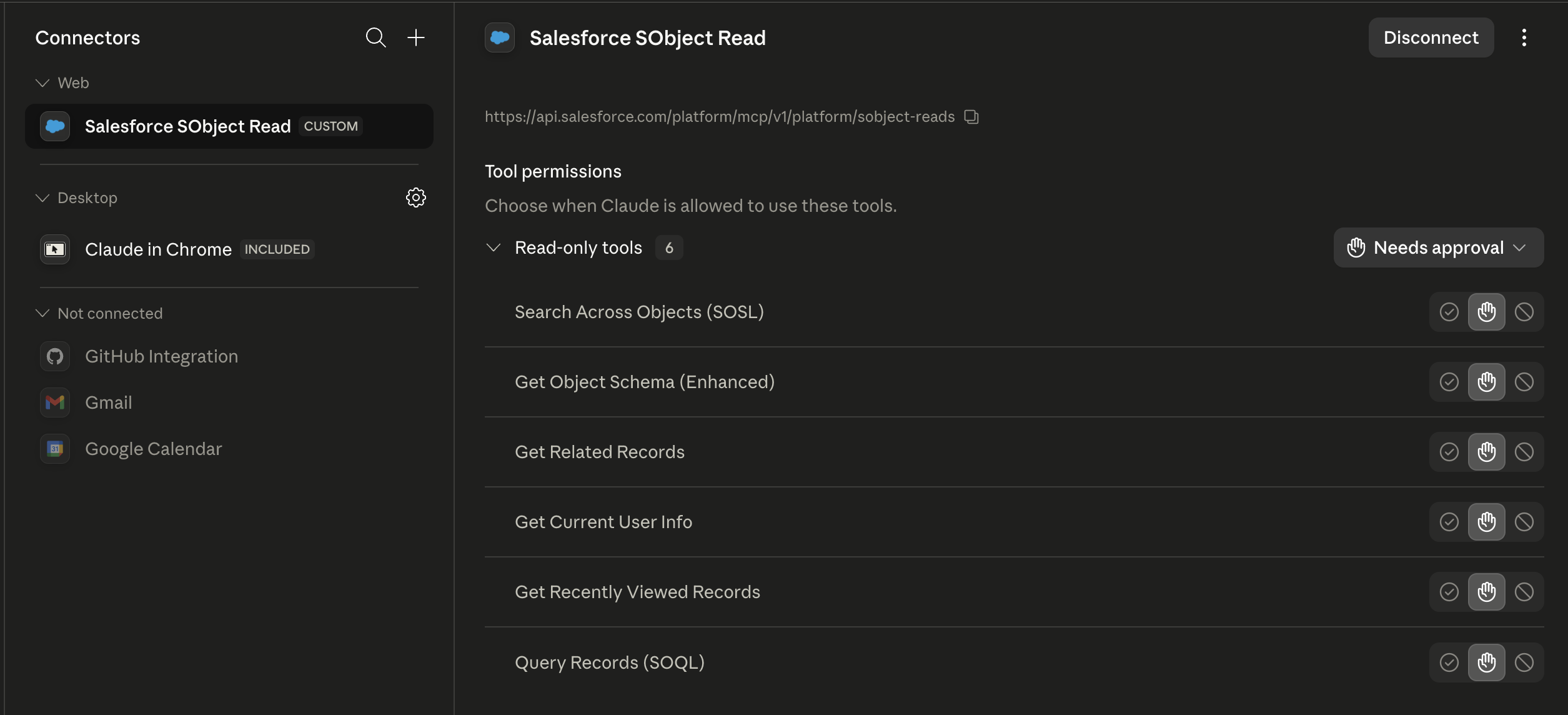
Repeat for each server you want to add.
Scratch org caveat
ECAs cannot be created inside a scratch org via Setup UI. Create the ECA in the Dev Hub org, package it, and install the package into the scratch org. The same Consumer Key then works against the scratch org using the /sandbox/ server URLs.
Practical examples
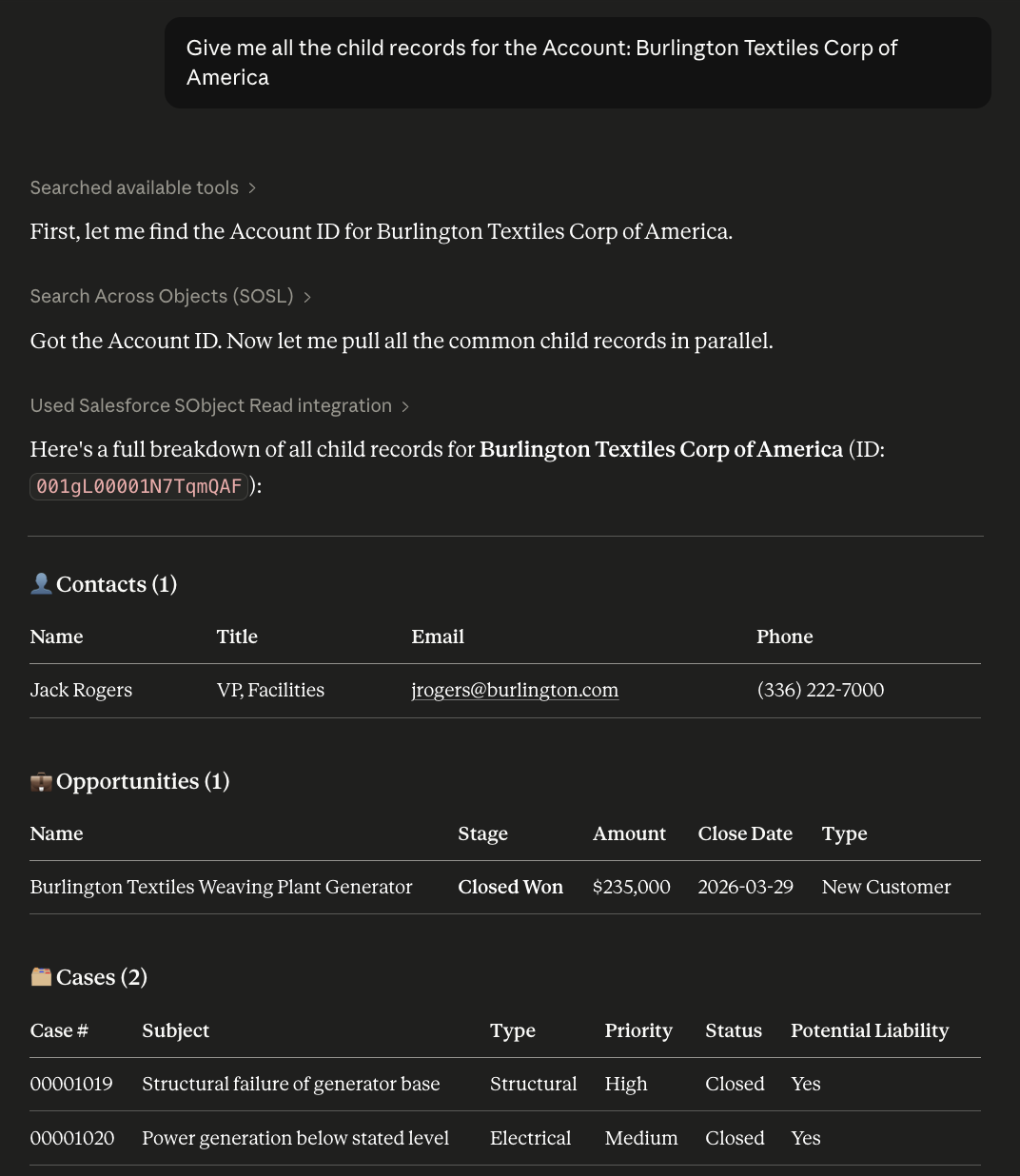
With a server connected, Claude operates on live Salesforce data in natural language:
- “Give me all the child records for the Account: Burlington Textiles Corp of America”
Each operation runs under the connected user’s permissions — the agent cannot access data the user cannot access.
Troubleshooting
| Symptom | Fix |
|---|---|
redirect_uri_mismatch | ECA still propagating — wait 5–30 min. Verify both callback URLs are present, each on its own line, no trailing slash |
invalid_client | Consumer Secret used instead of Key, or ECA hasn’t propagated |
| Browser opens then errors instantly | Port mismatch — --callback-port and the localhost line in the ECA must match exactly |
| Need to remove a server | claude mcp remove <name> |
| Need to update the Consumer Key | claude mcp remove <name> then re-add |